Skip to content
  • Facebook
  • Instagram
  • YouTube
  • TikTok
  • LinkedIn

Welcome to our new website

October 8, 2026. Geospatial Seminar. Visit us!

Contact us via WhatsApp here

  • Products
  • Areas
  • We
  • News
  • Contact
Login
  • Facebook
  • Instagram
  • YouTube
  • TikTok
  • LinkedIn
Search
Geocom
  • Products Products
  • Areas Areas
  • WeWe
  • NewsNews
  • ContactContact
Search Login Cart 0
Cart

Your cart is currently empty.

  • Continue shopping
    Tax included and shipping calculated at checkout
    Subtotal
    0 CLP
    View cart
    Search

    Usamos cookies

    El sitio de GEOCOM utiliza cookies para ofrecer una mejor experiencia de usuario y realizar análisis.

    Home Search Store 0 Cart Login
    Online Course | Trimble Access - Tunnel Module
    Online Course | Trimble Access - Tunnel Module
    Online Course | Trimble Access - Tunnel Module
    Online Course | Trimble Access - Tunnel Module
    Online Course | Trimble Access - Tunnel Module

    Online Course | Trimble Access - Tunnel Module

    110.075 CLP
    Tax included.

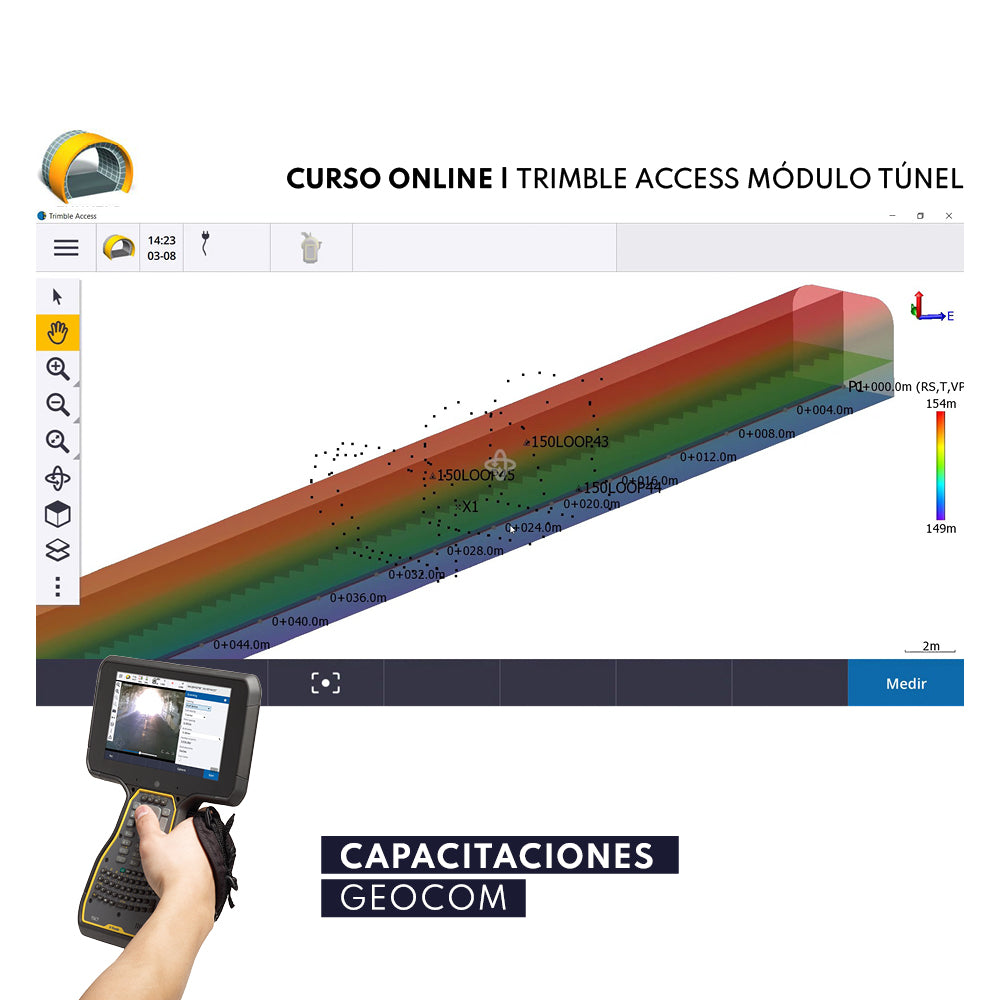
    Trimble Tunnels field software for total stations has been specifically designed for surveying in mining environments. It includes powerful tools to define, survey, and generate tunnel reports.

    WITH THIS COURSE YOU WILL LEARN

    • To define the tunnel by creating a TXL file, which can be directly created in the Trimble Access tunnel module, or imported from the Trimble Business Center tunnel module.
    • To refine tunnel components, including horizontal and vertical alignments, templates or typical profiles and their rotation, or import a definition from a LandXML file.
    • To define boreholes or blast patterns on the face, and stake out positions typically used for fortification bolt stops at a specific PK.
    • To review the tunnel before working underground.
    • To automatically scan cross-sections, including options to manually measure and remove points.
    • To measure positions relative to the tunnel definition.
    • To stake out predefined positions.
    • To position machinery, typically a drilling machine or Jumbo, relative to a tunnel.
    • To review automatically scanned and manually measured points.
    • To review staked out points.
    • To generate data and reports, using the ASCII File Generator application, allowing the creation of deviation reports in Word or DXF format.

    It is also possible to generate reports in Trimble Business Center through the tunnel module, and generate reports in customized formats, inspection, create 3D and 2D profiles. With drafting, create floor plans, longitudinal profiles, and cross-sections for project documentation.


    VIEW AGENDA


    RECOMMENDED REQUIREMENTS

    • Trimble Total Station
    • Trimble Access

    INCLUDES

    • GEOCOM Certificate of Participation
    • Online support
    • Access to all course documentation

    INSTRUCTORS

    José Carrasco / Álvaro Arancibia / Felipe Carvajal / Alfonso Contreras / Ariel Silva / Sebastián Pérez


    * Prices include VAT. It will be included as a separate item in the shopping cart. 
    * According to Law 21.420 on VAT, courses and seminars are now subject to this tax. 

    He also takes


    Do you need help?
    • Consulting

      Our team is ready to help you overcome any challenge in your projects. We have specialists with real technical training, who will guide you to integrate the exact solution your operation needs. Get advice from us via WhatsApp here

    • After-sales (Support and Technical Service)

      We provide immediate technical support through our engineers to advise you on using your equipment to its maximum potential. Contact us to schedule your Technical Support via WhatsApp, or visit our Specialized Support portal to resolve operational queries.

    • News

      Always stay one step ahead with the latest innovations in geospatial technology. Learn about new product launches, exclusive events, and technical talks designed to optimize your solutions. Discover all our news on the GEOCOM Blog

    view more products from Geocom
    WE
    • About us
    • Shipping and Warranties
    • Exchanges and Returns
    • Terms and Conditions
    • Whistleblowing Channel
    CONTACT

    Address | Av. Salvador 1105, Providencia.
    Phone | +562 2480 3600
    Email | ventas@geocom.cl

    GNSS and Optics Support | Whatsapp
    UAS Support |
    Whatsapp

    Geocom

    Subscribe to our newsletter

    • Facebook
    • Instagram
    • YouTube
    • TikTok
    • LinkedIn
    • Choosing a selection results in a full page refresh.
    • Opens in a new window.
    ¡Gracias por contactarte con nosotros! Soon an executive will contact you