Skip to content
  • Facebook
  • Instagram
  • YouTube
  • TikTok
  • LinkedIn

Welcome to our new website

October 8, 2026. Geospatial Seminar. Visit us!

Contact us via WhatsApp here

  • Products
  • Areas
  • We
  • News
  • Contact
Login
  • Facebook
  • Instagram
  • YouTube
  • TikTok
  • LinkedIn
Search
Geocom
  • Products Products
  • Areas Areas
  • WeWe
  • NewsNews
  • ContactContact
Search Login Cart 0
Cart

Your cart is currently empty.

  • Continue shopping
    Tax included and shipping calculated at checkout
    Subtotal
    0 CLP
    View cart
    Search

    Usamos cookies

    El sitio de GEOCOM utiliza cookies para ofrecer una mejor experiencia de usuario y realizar análisis.

    Home Search Store 0 Cart Login
    Online Course | Trimble Realworks
    Online Course | Trimble Realworks
    Online Course | Trimble Realworks
    Online Course | Trimble Realworks
    Online Course | Trimble Realworks

    Online Course | Trimble Realworks

    110.075 CLP
    Tax included.

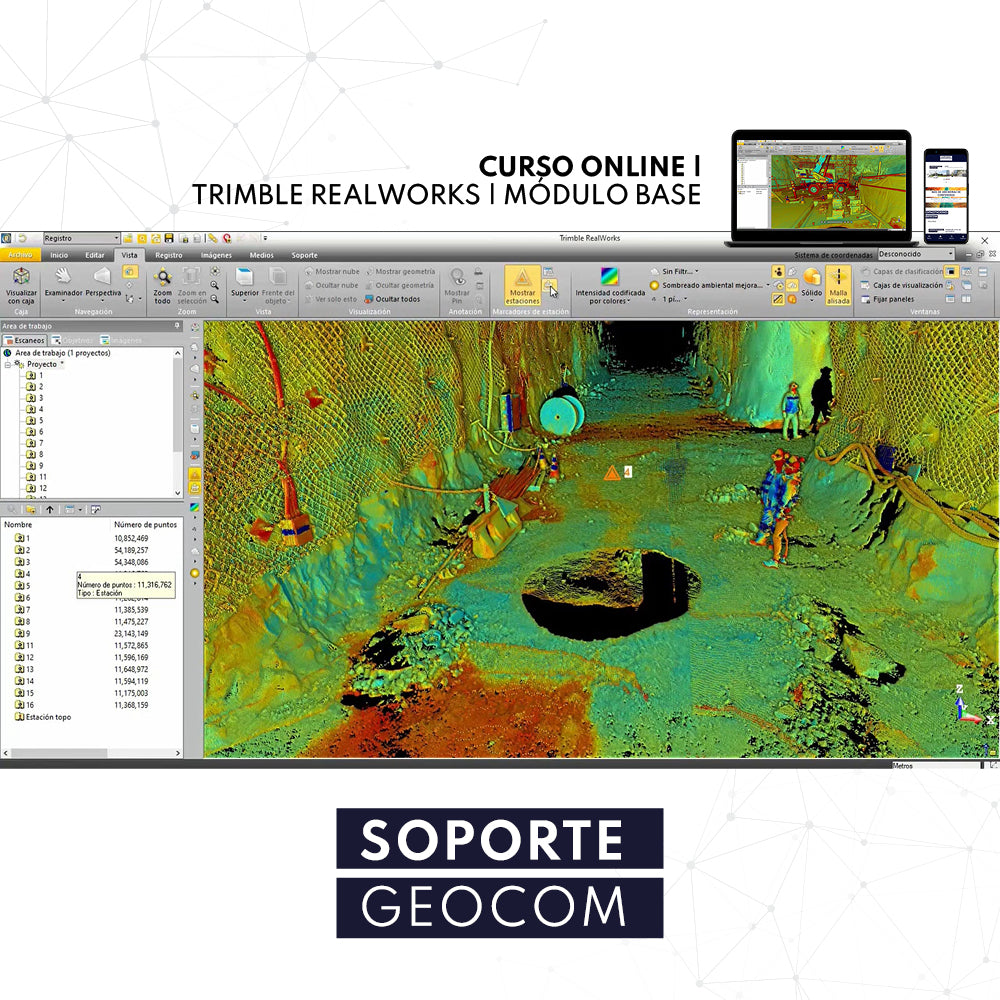
    In this training, you will learn how to use the tools available in the Trimble RealWorks Base module software.

    WITH THIS COURSE YOU WILL LEARN

    • You will learn the tools provided by Trimble RealWorks.
    • Register Point Cloud and georeference.
    • Generate topographic meshes.
    • Calculate Volumes.
    Oriented to professionals interested in learning about the functionalities offered by Trimble RealWorks software.


    VIEW AGENDA


    REQUIREMENTS

    • Trimble RealWorks License
    • Computer with the following characteristics:
      1. Operating system: Microsoft Windows 7 and 8.1, 10 – 64 bits
      2. Processor: Minimum 2.8 Ghz (Quad-Core) or higher (additional cores with Hyper-Threading support are strongly recommended)
      3. RAM: minimum 16 GB (2 GB per processing thread is recommended where Hyper Threading is used)
      4. VGA card: OpenGL 3.3 compatible with a minimum of 1 GB VRAM OpenGL 4.4 with 3 GB VRAM recommended for better performance.
      5. 3-button mouse.
      Other Requirements:
      6. Solid State Drive (SSD) for maximum performance (Pref. 256GB)
      *Highly recommended.

    INCLUDES

    • GEOCOM participation certificate
    • Online support
    • Access to all course documentation

    INSTRUCTORS

    José Salas Execution Engineer in Geodesy from the University of Santiago de Chile, with 8 years of experience, specializing in LiDAR technology for terrestrial, mobile terrestrial, and UAL (unmanned aerial laser) solutions, as well as point cloud processing software. He has extensive experience in the use of GNSS solutions.

    Sebastián Pérez Execution Engineer in Geodesy from the University of Santiago de Chile, with 8 years of experience, specializing in LiDAR technology for terrestrial solutions. As well as point cloud processing software. He has extensive experience in the use of Optical and GNSS solutions.


    * Prices include VAT. It will be included as a separate item in the shopping cart. 
    * According to Law 21.420 on VAT, courses and seminars are now subject to this tax. 

    He also takes


    Do you need help?
    • Consulting

      Our team is ready to help you overcome any challenge in your projects. We have specialists with real technical training, who will guide you to integrate the exact solution your operation needs. Get advice from us via WhatsApp here

    • After-sales (Support and Technical Service)

      We provide immediate technical support through our engineers to advise you on using your equipment to its maximum potential. Contact us to schedule your Technical Support via WhatsApp, or visit our Specialized Support portal to resolve operational queries.

    • News

      Always stay one step ahead with the latest innovations in geospatial technology. Learn about new product launches, exclusive events, and technical talks designed to optimize your solutions. Discover all our news on the GEOCOM Blog

    view more products from Geocom
    WE
    • About us
    • Shipping and Warranties
    • Exchanges and Returns
    • Terms and Conditions
    • Whistleblowing Channel
    CONTACT

    Address | Av. Salvador 1105, Providencia.
    Phone | +562 2480 3600
    Email | ventas@geocom.cl

    GNSS and Optics Support | Whatsapp
    UAS Support |
    Whatsapp

    Geocom

    Subscribe to our newsletter

    • Facebook
    • Instagram
    • YouTube
    • TikTok
    • LinkedIn
    • Choosing a selection results in a full page refresh.
    • Opens in a new window.
    ¡Gracias por contactarte con nosotros! Soon an executive will contact you